Built-in Document Scanner
Automatic edge detection, multi-page PDF stitching and skew correction. No third-party app required.
Digitize instantly with the built-in scanner. AI summarizes, natural language finds, AES-256 protects — all in one app.
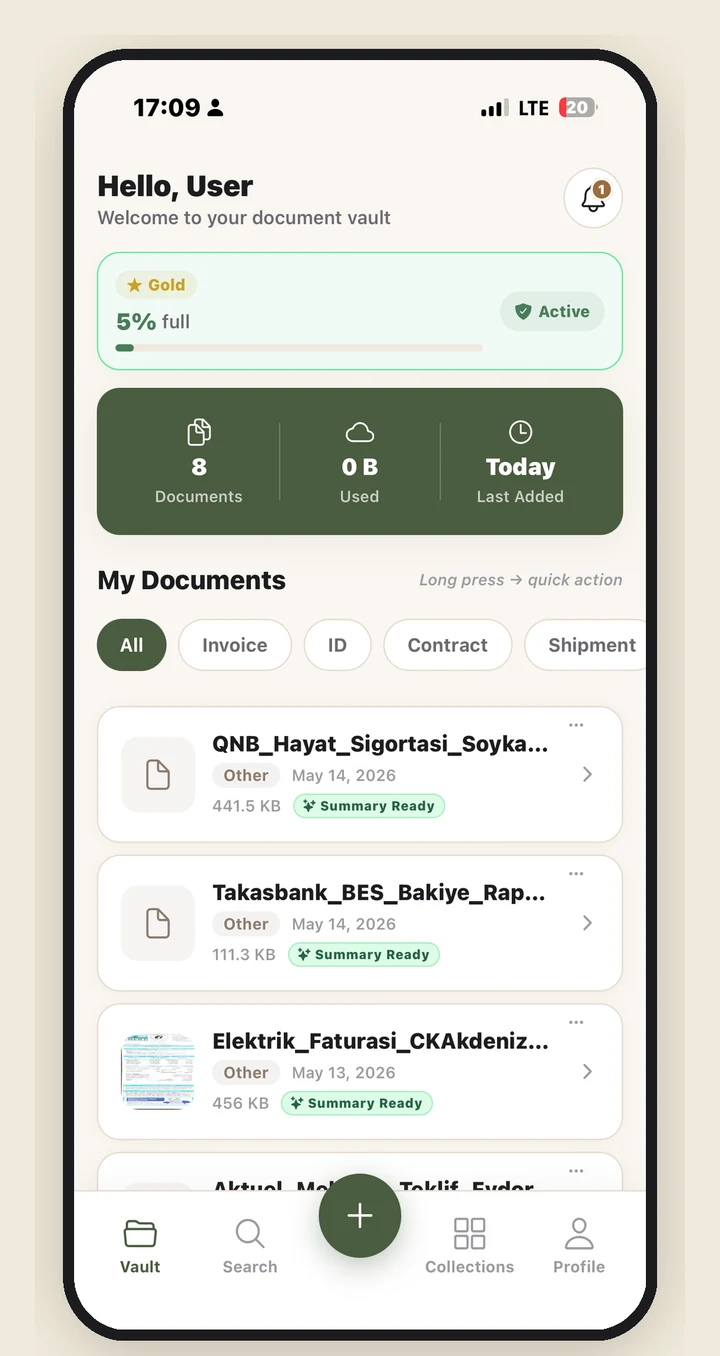
Security, speed and intelligence — combined in a single app. Every detail designed with the discipline of a master archivist.
Automatic edge detection, multi-page PDF stitching and skew correction. No third-party app required.
Meaningful summary, critical points and recommendations for every document you upload. Get the gist in 30 seconds instead of hours of reading.
Bundle every document a real-life task needs into one Capsule — a visa application, a tax filing, a rental. The app shows what's missing, generates the forms and petitions you need, and shares the whole bundle as one secure link.
Before you share, DocuVault automatically detects sensitive fields (national ID, IBAN, signatures, faces) and lets you approve what gets redacted — permanently burned into the shared copy. Share the expiring, revocable link over WhatsApp — the recipient opens it in a browser, no app required.
Answer a few prompts and let AI draft low-risk documents like petitions, declarations and applications. Review an editable preview, then save as PDF or share.
Insurance, ID, contracts… DocuVault reminds you before your documents reach their due date. Never miss a renewal.
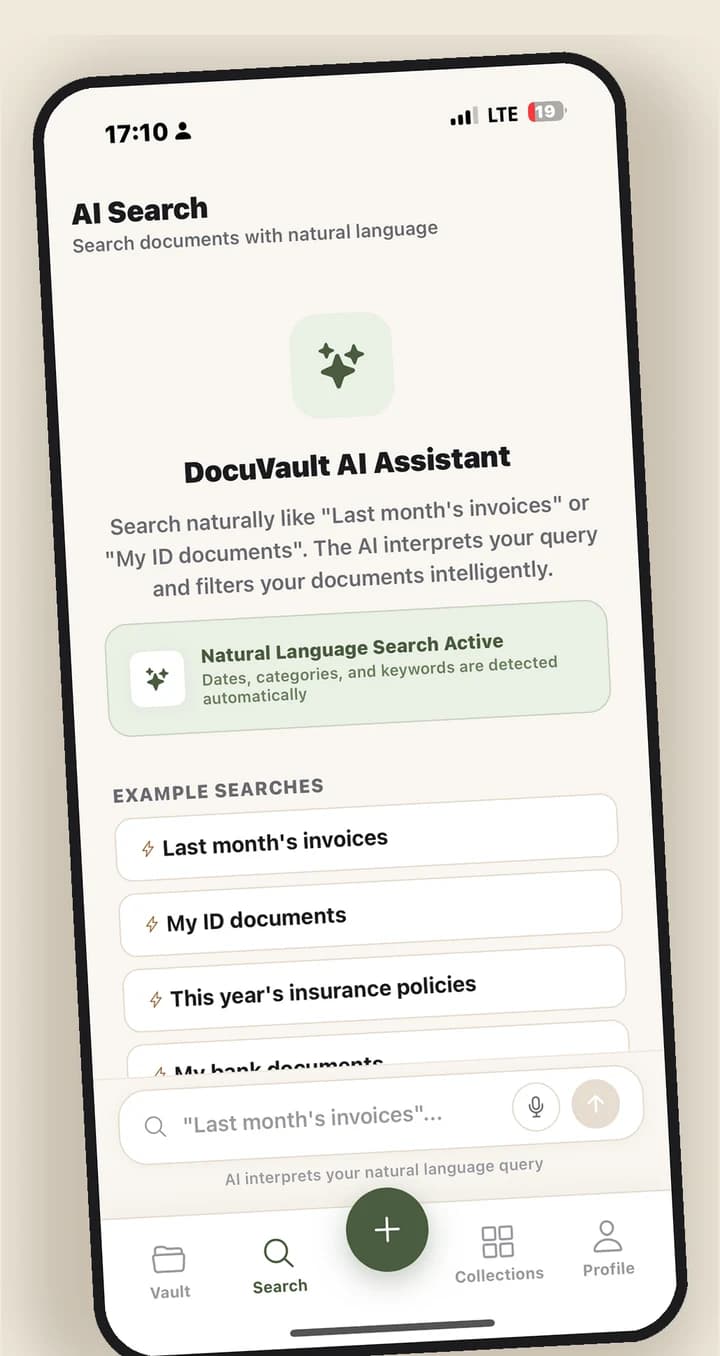
Type "last month's electricity bill" — AI interprets your query, weighing content and document attributes together.
Voice search in Turkish and English. Reach your documents hands-free, with a single spoken command.
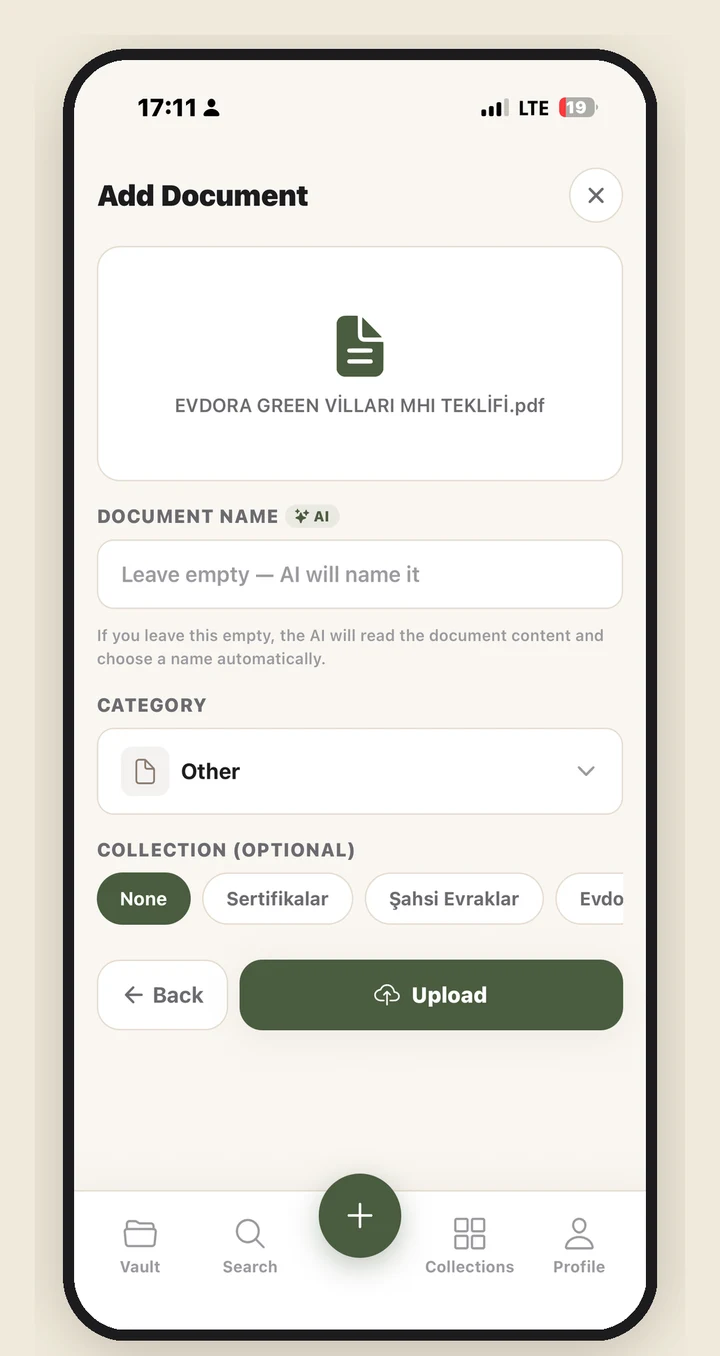
AI reads the content and files it as "Electricity Bill — March 2026" instead of "IMG_4519", sorting it into the right one of 8 built-in categories.
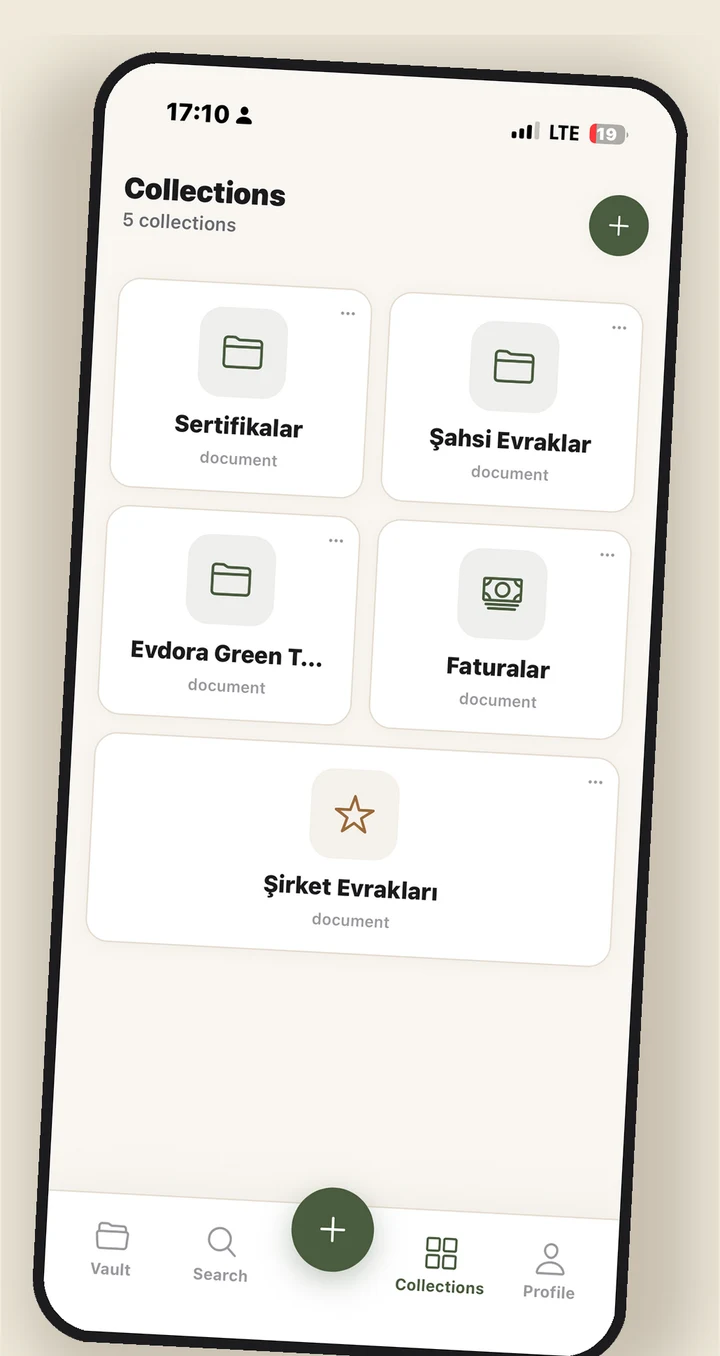
Home, work, health — unlimited collections with your own icon and color. Find related documents at a single glance.
Send a document or PDF straight from another app into your DocuVault vault via the iOS share sheet — no app-switching required.
Press and hold the app icon to jump straight to scanning or search in one tap. Your most common tasks, right at your fingertips.
A warm-toned dark mode, VoiceOver labels, Reduce Motion support and focus management in modals. A comfortable, platform-crafted experience for everyone.
Scan, organize, summarize, find and store securely. DocuVault handles the rest.
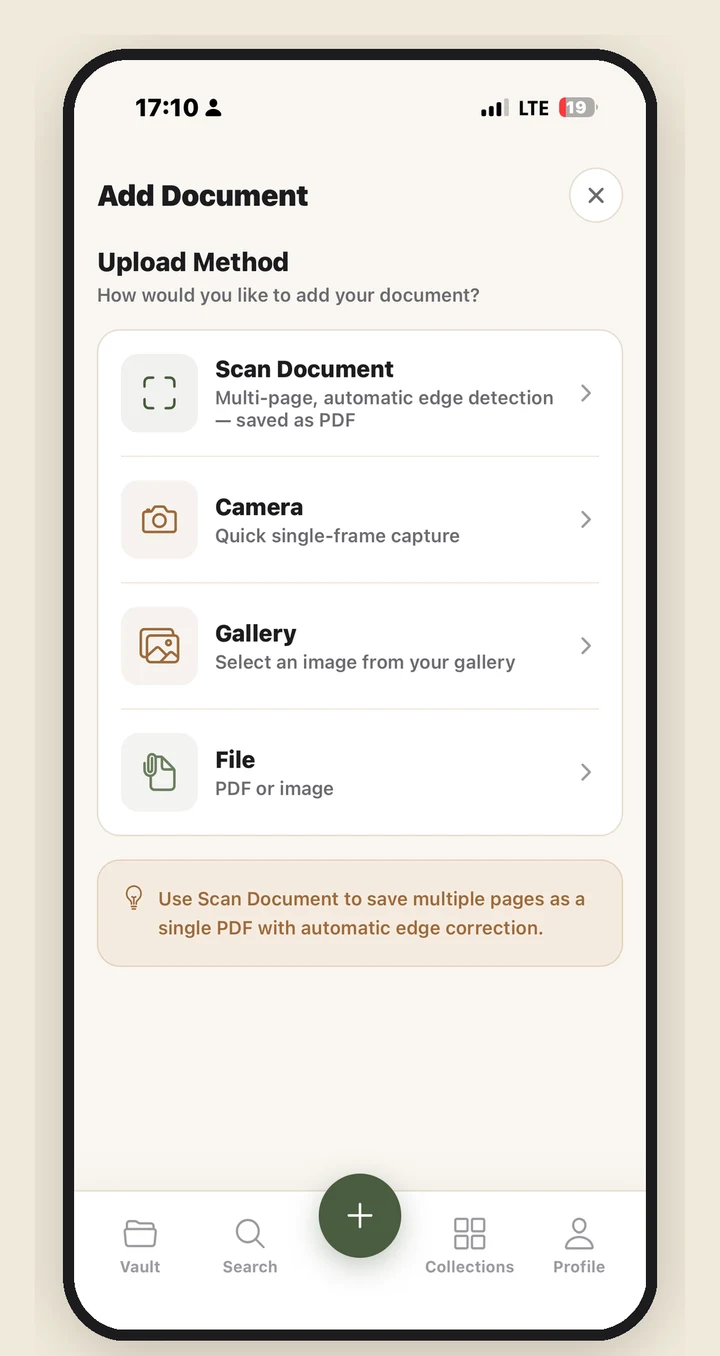
Open the built-in scanner and frame the page — automatic edge detection, multi-page PDF and skew correction happen in the background. Gallery, camera and file upload are all supported.
AI reads the content, saves it under a meaningful name (e.g. "Electricity Bill — March 2026") and assigns it to the right one of 8 built-in categories.
On the document detail screen, AI gives you the summary, critical points and recommendations within seconds. The gist in 30 seconds, not hours of scanning.
Type or speak — for natural queries like "last month's electricity bill", AI weighs both content and document attributes.
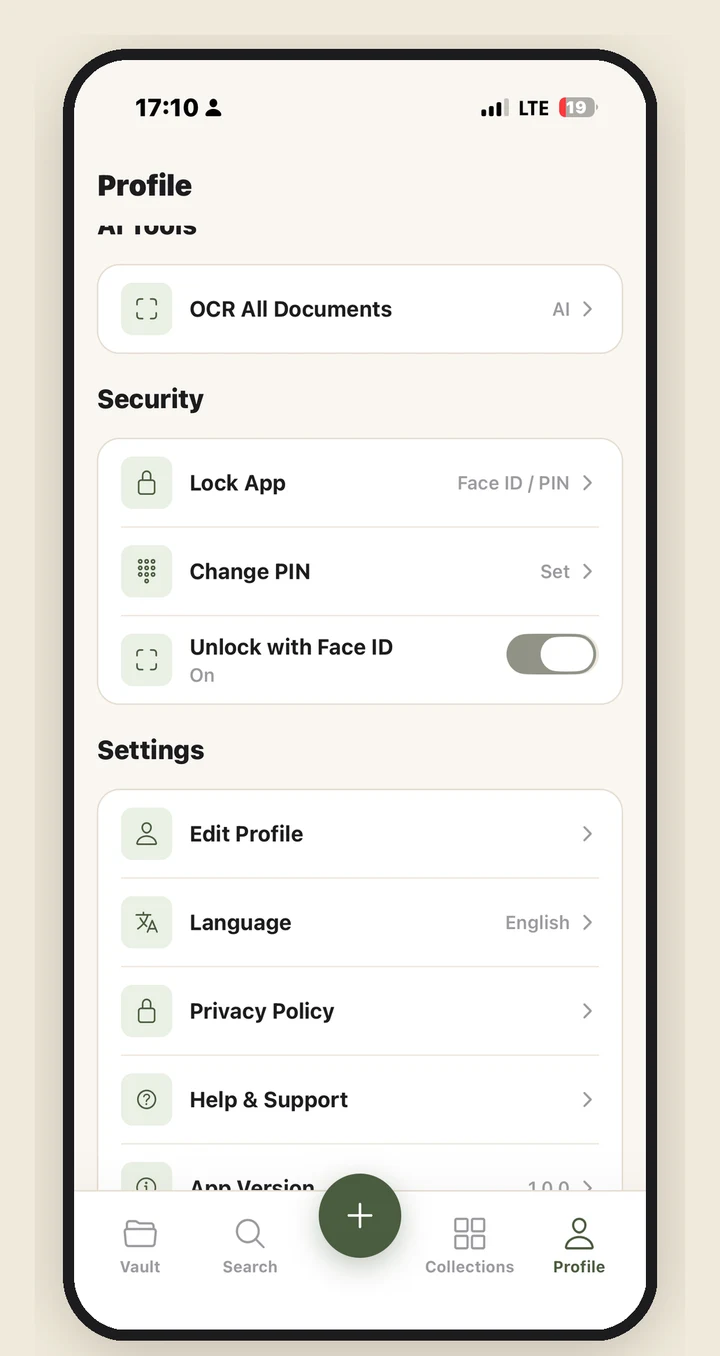
AES-256 local encryption, TLS 1.2+ transport, Face ID/Touch ID lock and encrypted cloud backup. Only you have access.
Start free, upgrade as your needs grow. Cancel anytime.
$0
Billed monthly · Approx. ₺249.99
Approximate USD prices shown; final charge may differ slightly with App Store conversion. Subscription is charged to your Apple ID on confirmation. Manage subscriptions through the App Store.
Your documents are among the most private parts of your life. We treat them that way.
Your documents are stored encrypted with AES-256, and all transport runs over TLS 1.2+. Industry standard, non-negotiable.
Encrypted storage is kept on industry-leading Supabase infrastructure at EU-based endpoints. Access is restricted to your own account with row-level security (RLS).
Biometric authentication, backup PIN and automatic lock when the app moves to the background. No ad SDKs, no IDFA identifier.
Quick answers to common questions. For anything else, our support email is one click away.
Your documents are stored in a private space on industry-leading Supabase infrastructure at EU-based endpoints, encrypted with AES-256 and served only through short-lived secure links over TLS 1.2+. Access is restricted to your account with row-level security (RLS); the DocuVault team does not routinely view your documents.
We're here for your questions, feedback or technical issues. Happy to help.
Send your questions by email. We get back to you as soon as possible.
Active support Monday to Friday, 09:00 – 18:00 (UTC+3).
Write to us for technical issues, account matters or product feedback.
Support email
destek@appdocuvault.comDownload DocuVault for free. Set up your vault in minutes and store your documents securely.